- No Screen
- No App or Wi-Fi
- Rechargeable
Press play. That's it.
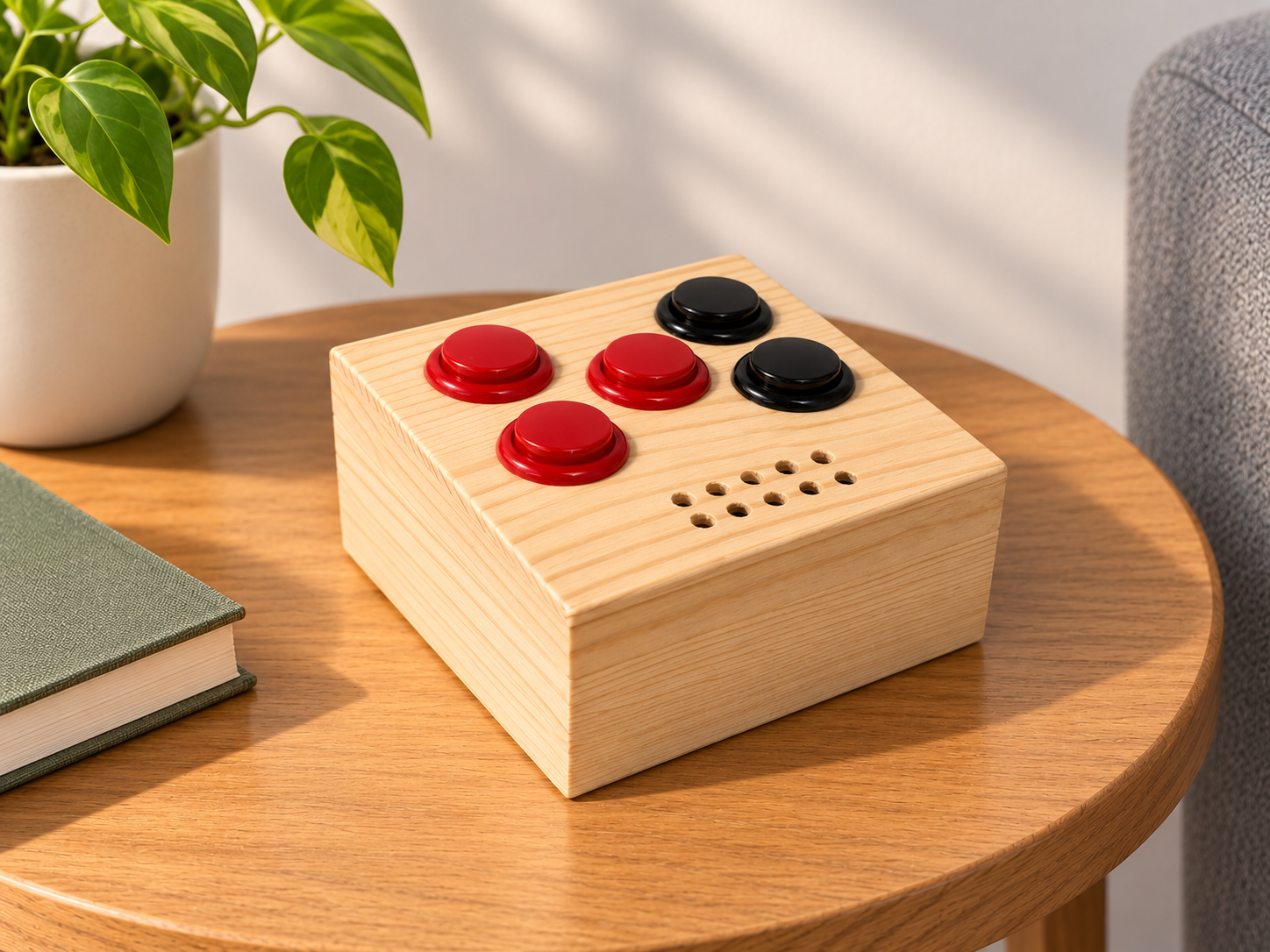
Tactaria is a music player with big light-up buttons and no screen. Load your music once, then just press play, plugged in on the kitchen bench or on battery out on the deck.
NZ$130 incl. GST
InquireWhy You'll Love Tactaria
-
Big Buttons You Can Find by Feel
Play/pause, next, previous and volume each get their own big button, and each one lights up. There are no menus to learn and nothing to scroll through.
-
No Wi-Fi, No App, No Account
Tactaria doesn't connect to anything. There's nothing to sign in to, no updates to wait for, no ads, and nothing collected about what you listen to.
-
Picks Up Where You Left Off
Switch it off and on again and it's waiting on the same track, where you paused it. Hold next or previous to skip through a track 15 seconds at a time, which is handy for audiobooks.
-
Speaker or Headphones
A built-in speaker fills the room, and a headphone jack lets you listen quietly. Plug headphones in and the speaker switches off by itself.
-
Rechargeable Battery Included
Carry it from room to room on battery, or leave it plugged in. It charges from any USB charger and keeps playing while it does.
-
Plays the Music You Own
MP3, AAC, FLAC, Opus, WAV and AIFF, plus M4B audiobooks. Sort your tracks into folders, or let it shuffle.
How It Works
-
Connect It to Your Computer
Plug the USB-C cable into a computer and hold Play while you switch Tactaria on. It shows up as a USB drive.
-
Drag Your Music Across
Copy songs, albums or audiobooks onto it, in folders if you like. Eject the drive when you're done.
-
Unplug and Press Play
Switch it off and on again and your music is ready. Tracks play one after another, in name order or shuffled.
Technical Specifications
| Controls | Big light-up buttons: play/pause, next, previous, volume up, volume down |
|---|---|
| Speaker | Built-in speaker (mono) |
| Headphones | 3.5 mm jack (mono); the speaker switches off when headphones are plugged in |
| Music Formats | MP3, AAC/M4A, M4B audiobooks, FLAC, Opus, WAV, AIFF |
| Storage | microSD card, fitted inside |
| Loading Music | USB-C: shows up as a USB drive on Windows, Mac and Linux |
| Battery | Rechargeable 18650 lithium-ion, included and fitted |
| Charging | USB-C, from any USB charger; plays while charging |
| Connectivity | None: no Wi-Fi, Bluetooth or internet |
Questions
Does it stream music, or need Wi-Fi or Bluetooth?
No. Tactaria plays music files stored on a memory card inside it. It has no Wi-Fi, Bluetooth or internet connection, so it works the same anywhere and never needs updating.
What music can I put on it?
Music and audiobooks you have as files: ripped CDs, or downloads from stores that sell plain files, such as Bandcamp or the iTunes Store. MP3, AAC/M4A, FLAC, Opus, WAV, AIFF and M4B audiobooks all play. Streaming services and copy-protected files, such as Spotify, Apple Music subscriptions and Audible, won't play.
How do I load music?
Connect Tactaria to a computer (Windows, Mac or Linux) with a USB-C cable, then hold Play while you switch it on. It shows up as a USB drive: copy your files across, eject the drive, then switch Tactaria off and on again.
Is the battery included?
Yes. A rechargeable 18650 lithium-ion battery comes fitted. It charges over USB-C from any USB charger, and Tactaria keeps playing while it charges.
Can I use headphones?
Yes. Plug any headphones with a 3.5 mm plug into the jack and the speaker switches off. The sound is mono, the same in both ears.
Can I change how it behaves?
Yes. A small text file on the memory card sets the volume it starts at, turns shuffle on, starts the music as soon as it's switched on, or pauses it once no button has been pressed for a while (handy at bedtime).
Where do you ship?
Within New Zealand only.
What if something goes wrong?
Your Tactaria is covered by the Consumer Guarantees Act. Contact us and we'll put it right.